Logitech MX Mechanical Review — The Productivity Mech That's Worth Buying At $160 But Not At $170
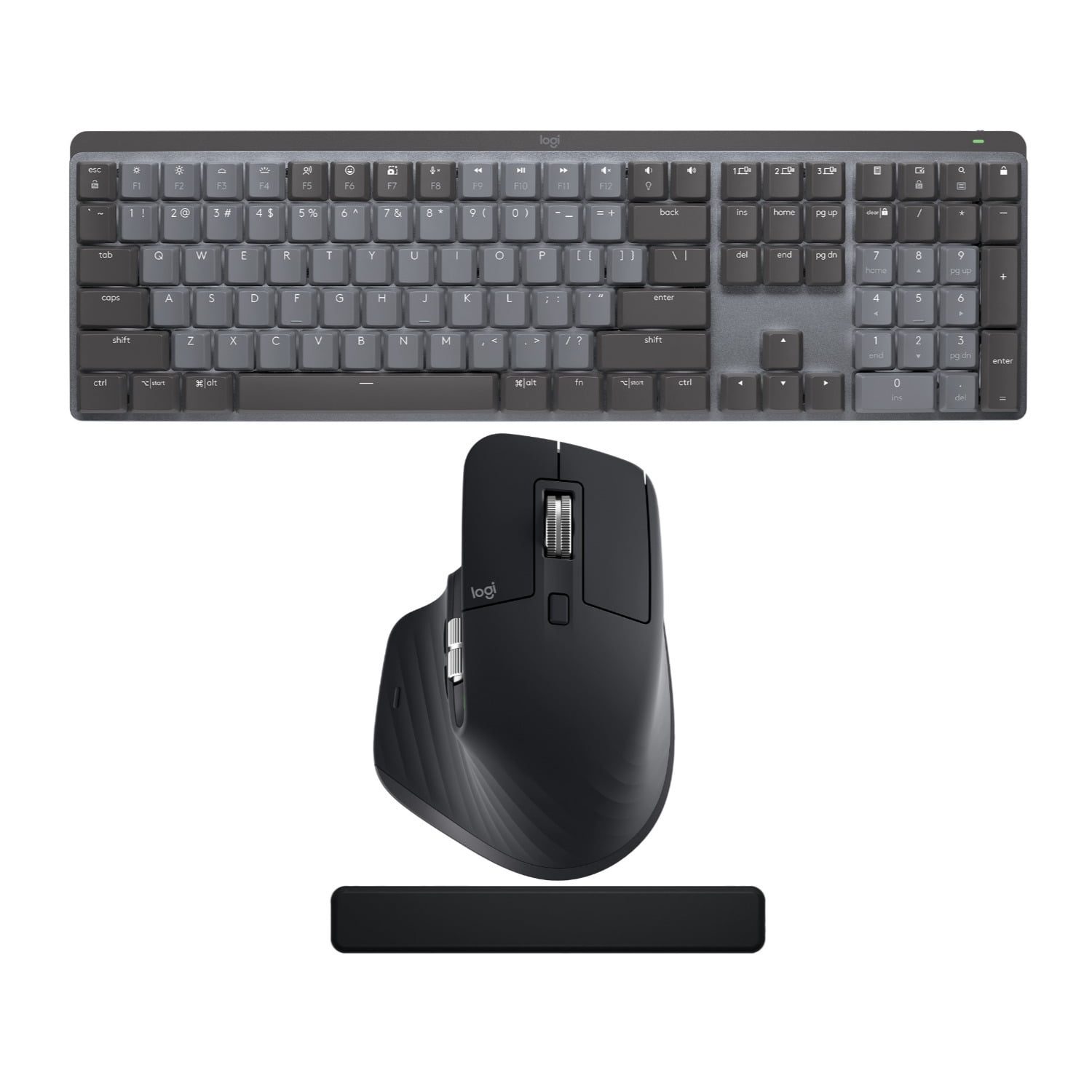
Reviewed Product
Logitech MX Mechanical Wireless Illuminated Performance Keyboard$159.99 – $207.99 USD
TL;DR
The MX Mechanical is Logitech's answer to 'I want my MX Keys but mechanical.' Tom's Guide's one-line verdict: 'more expensive and less customizable than competing products … at least $20 more expensive than it ought to be.' Owner sentiment on r/MechanicalKeyboards is split: enthusiasts call it overpriced for the spec, productivity users buying their first mech (especially Logitech-loyal MX Master 3S users) overwhelmingly approve. The BSR top-25 ranking on a list dominated by membrane office boards is the unusual signal.
Verdict: Depends on Use Case
Pros
- +Logi Bolt receiver + Bluetooth + 3-device Easy-Switch is the productivity-tier killer feature — no other mechanical at this price band does it as cleanly
- +Kailh low-profile switches in three options (clicky, tactile-quiet, linear) — all genuinely quieter than full-height MX equivalents
- +Backlit secondary characters on every key — Mac/Windows mode swap is a single keystroke, both legends are illuminated
- +Real ~7-day battery at moderate brightness, 15+ days at low brightness — quick-charge gets you 8-10 hours from 15 minutes
- +Aluminum top plate (thin) on a low-profile chassis — sturdier than most low-pro mechs without becoming portable-unfriendly
Cons
- −Tom's Guide verdict on price: 'at $170, the MX Mechanical seems at least $20 more expensive than it ought to be'
- −Cannot operate in wired mode — battery dies, you can't keep typing while charging
- −Smart Actions and full programmability require a Logitech account — basic remap is free, advanced features are gated
- −Plug-in backlight quirk: 'When plugged in, the backlight can only be turned on by a key press, not motion, and then turns off automatically after 5 minutes' (r/MechanicalKeyboards owner)
- −Enthusiasts on r/MechanicalKeyboards call out the price/spec gap: 'There are so many good boards for the price of an upper end logitech offerings'
Ethan Park
Published May 3, 2026
The MX Mechanical is the keyboard for the person who already owns an MX Master 3S mouse, has been using a Logitech MX Keys for years, and finally wants something with mechanical feel without leaving the Logitech ecosystem. That's a real and large persona — the BSR top-25 ranking on Amazon's overall Computer Keyboards list, which is dominated by membrane office boards, is the unusual signal that this mechanical specifically converts MX Keys upgraders.
It's also the keyboard that r/MechanicalKeyboards complains about the most, because at $169 retail (sometimes $159 on sale, sometimes $199 at MSRP) it sits in the same price band as a Keychron Q1 Pro — and the spec sheet doesn't compare cleanly. This review pulls from four substantive tech-media reviews (Tom's Guide full-size and Mini, RTINGS, Gadget Review), four highly-watched YouTube reviews, and the cluster of r/MechanicalKeyboards threads where enthusiasts and converts argue past each other.
What you're actually getting
A low-profile Kailh-switch board with three switch options. Tom's Guide on the switch family: "The MX Mechanical uses Kailh low-profile switches. These have a distinctively different feel than their Cherry MX full-height competitors. On the tactile switches, the tactile 'bump' is not as pronounced as a Chery Brown" (review). And the honest trade-off: "Combined with the shorter keystroke travel and lack of pre-travel, someone used to full-height Brown keyboards might describe it as a bit squishy. They are notably quieter than a typical Brown switch, though." Quiet is the right word — these are office-quiet, not gasket-mount-quiet, but quieter than a Cherry MX board by a clear margin.
The Logitech ecosystem is the actual feature. Tom's Guide: "The MX Mechanical includes a 1m USB cable, USB wireless receiver, and can also connect over Bluetooth. Logitech calls their newer generation receivers Logi Bolt receivers. Like their older Unifying receivers, you can pair multiple devices to a single Bolt receiver." Plus three dedicated Easy-Switch keys for swapping between connected devices, and Logitech Flow for cursor handoff between machines. If you live in a multi-machine setup with an MX Master mouse, the MX Mechanical slots in cleanly. If you don't, you're paying for ecosystem features you won't use.
Backlit Mac and Windows legends on every key. Tom's Guide: "The MX Mechanical is compatible with Windows 10/11 and Mac OS 10.15 or later. The system and modifier keys (Windows Start, Command, Option, etc) are doubly marked on the keycaps." This is a small thing that matters more than reviewers credit — typing in a dark room on a Mac, both the Cmd and Win labels are clearly visible. Most mechanicals make you pick a side at purchase.
Real-world wireless battery life. Tom's Guide: "Logitech claims the battery will last up to 15 days before needing a recharge … At a moderate brightness level, I was able to get a little over a week of use before the low-battery indicator appeared." Plus the quick-charge: "15 minutes of charging should give you 8 – 10 hours of use, and you can also continue using the keyboard while it is plugged in and charging." That's the office-keyboard headline number — plug in for the morning coffee, work all day, repeat next week.
How it actually performs in owners' hands
The 23-upvote "What Do You Think of the New MX Mechanical?" thread is the canonical decision thread for the MX Master 3S persona. The OP frames it perfectly: "I already have the MX Master 3S, and I quite like it, I also trust Logitech as a brand … I haven't tried their keyboard lineup, and this will be my first ever mechanical keyboard."
The community split shows up clearly in the replies. u/Bacowned (16 upvotes), enthusiast-leaning: "In general, you are going to be hard pressed to find someone in the hobby who will recommend a board from a gamerbrand." u/bangbangracer (12 upvotes), pragmatic: "It's expensive for what it is, but also it has a Logitech warranty and it doesn't have all those little bugs that those tiny boutique companies have. People will complain that it doesn't have VIA or QMK support... but also that stuff really isn't for everyone. This is a turn-key option." u/16tdi: "Bit late to the party, but I bought this keyboard a week ago with the brown switches and love it. It just works, sounds great, feels really nice to type on, wireless and battery performance are awesome and the build quality feels great too." That's the spread — and it tracks well to the BSR data.
The 135-upvote "Logitech MX Mechanical with Nuphy keycaps" build post and the 112-upvote "Where to buy custom keycaps for Logitech MX Mechanical keyboards" thread are the modding-community signal. Custom Nuphy keycaps fit the MX Mechanical (with caveats — Logitech uses different stems than standard Cherry MX), and a small but real subset of owners treat the MX Mechanical as a hot-keycap-swap chassis. The 23-upvote "Logitech MX Mechanical Mini fully disassembled" teardown post documents the build for anyone who wants to mod.
Where it falls short
Tom's Guide's price-is-wrong verdict is the dominant tech-media take. Their full conclusion: "Logitech's MX Mechanical keyboard is not a bad keyboard by any means. But at $170, the MX Mechanical seems at least $20 more expensive than it ought to be." The comparison set is the problem — at $170, the MX Mechanical is shopping next to the Keychron Q1 (gasket-mount aluminum, hot-swap, QMK/VIA, $200) and Q1 Pro (same plus wireless, $220). The Logitech offers less customizability for less money, but the spec gap to the Keychrons isn't a clean win on either side.
The plug-in backlight quirk. This is documented in the r/MechanicalKeyboards "one quirk" post: "When the keyboard is in wireless mode, the backlight is activated with motion just like the other MX keyboards. But the backlight turns off automatically after 5 seconds in wireless mode. When plugged in, the backlight can only be turned on by a key press, not motion, and then turns off automatically after 5 minutes. Who came up with that logic?" Top reply (u/kool-keys, 5 upvotes) explains it as battery-preservation logic that wasn't fully untangled for wired mode. Annoying in a dark room, mostly invisible at moderate office lighting.
Cannot run wired. Tom's Guide: "as the keyboard cannot operate in wired mode, you'll need a second keyboard for charging interruptions." The USB-C port is charge-only. Quick-charge mitigates the impact (8-10 hours from 15 minutes), but if you want a cable-fallback, this isn't your board.
Smart Actions require a Logitech account. Tom's Guide: "Smart Actions are more advanced if/then triggers and macros, but you can't use them unless you first create an account." Basic remap works without an account; advanced features are gated. For a $170 productivity keyboard this is a friction many reviewers rightly call out — Keychron's QMK firmware is offline-first, no account, no cloud.
The enthusiast pile-on. From the same r/MechanicalKeyboards launch thread, u/EmployEquivalent2671: "it being a logitech keyboard? There are so many good boards for the price of an upper end logitech offerings it's kinda sad anyone chooses keyboards from big brands anymore." That's the dominant enthusiast take. Whether you weight it depends on whether you'd actually buy a Keychron Q1 instead — most MX Keys upgraders won't.
Should you buy it?
Buy if you're already in the Logitech ecosystem (MX Master mouse, MX Keys current keyboard, Logi Bolt receiver) and you want a mechanical that drops in without changing your workflow. The Easy-Switch + Bolt receiver + Flow integration is the actual product, not the switches.
Buy if you specifically need a low-profile mechanical with backlit Mac/Win legends and three-device Bluetooth that just works. Very few mechs at this price band do all three; most enthusiast boards either skip Bluetooth or require Mac/Win legend keycap swaps.
Buy if it's $159 or less. At that price the value tension Tom's Guide identifies disappears.
Skip if you'd actually consider a Keychron Q1 Pro. You'll get gasket mount, hot-swap, QMK/VIA, and similar wireless for similar money — at the cost of giving up the Logitech ecosystem polish.
Skip if you want full firmware-level macros without a Logitech account.
Wait if you can hold for a sale to $159 or below — Tom's Guide's price gripe specifically goes away at the sale price. The board appears at deal sites regularly.
Sources consulted
YouTube (4 videos, metadata only — see note)
YouTube transcript pulls were blocked at the network level during this review's research. All four videos verified as full-length watch?v= URLs:
- "Logitech MX Mechanical Review: I love this keyboard!" — Jul 1 2022
- "Logitech MX Mechanical Review: The Safe Bet" — Mar 7 2023
- "Logitech MX Mechanical Review - One Big Issue..." — Feb 23 2023
- "Logitech MX Mechanical & Master 3S Review - Next Level Productivity!" — Jun 10 2022
Reddit (4 threads cited with verbatim quotes)
- r/MechanicalKeyboards — "What Do You Think of the New MX Mechanical?" — 23 upvotes (canonical buy-decision thread)
- r/MechanicalKeyboards — "Logitech MX Mechanical with Nuphy keycaps" — 135 upvotes (modding signal)
- r/MechanicalKeyboards — "The one quirk that ruined the Logitech MX Mechanical" — backlight-in-wired-mode complaint
- r/MechanicalKeyboards — "Logitech MX Mechanical Mini fully disassembled" — 23 upvotes (teardown reference)
Tech media (4 reviews fully parsed)
- Tom's Guide — "Logitech MX Mechanical keyboard review: The price is wrong" by Eric
- Tom's Guide — "Logitech MX Mechanical Mini review: Pricey but productive" (Mini variant)
- RTINGS — "Logitech MX Mechanical Review"
- Gadget Review — "Logitech MX Mechanical Review"
Products covered in this review
Frequently Asked Questions
Is the MX Mechanical right for someone moving from MX Keys to mechanical?
Yes — that's the primary persona Logitech designed for, and the BSR top-25 ranking validates it. Reddit owner u/16tdi: 'I bought this keyboard a week ago with the brown switches and love it. It just works, sounds great, feels really nice to type on, wireless and battery performance are awesome.' If your reference point is the MX Keys feel and you want crisper feedback without giving up the MX ecosystem (Logi Bolt, Easy-Switch, Flow), the MX Mechanical is a clean upgrade. If your reference point is a Keychron Q1 Pro, you'll find this feels significantly more office-keyboard than enthusiast-keyboard.
Why does Tom's Guide say the price is wrong?
Because the comparison set at $170 is brutal. Tom's Guide compared the MX Mechanical to a $150 Keychron K8 Pro / Q1 / Q1 Pro and concluded the Logitech offers less customizability for more money. The full quote: 'wireless mechanical keyboards aren't as common in the $150 range … However that's also offset by its limited key programmability options and need for a Logitech account to even use half the programmability features.' At $159 it's reasonable; at $169-179 it's harder to defend.
Will I miss not being able to use it wired?
Possibly. Tom's Guide flagged this as an actual usability issue: 'as the keyboard cannot operate in wired mode, you'll need a second keyboard for charging interruptions.' The cable is for charging only. If you're a heavy keyboard user with an erratic charging routine, this matters. The 7-15 day battery life cushions the impact, but it's the design choice you're stuck with.
Mini vs. Full Size — which one am I buying?
Mini drops the numpad, otherwise identical hardware. Tom's Guide on the Mini: 'compact, stylish and lovely to type on … However, $149 is borderline extortionate.' Same value tension as the full size, smaller form factor. If you don't use the numpad, get the Mini and save the desk space; if you crunch numbers, the full size is the obvious pick.