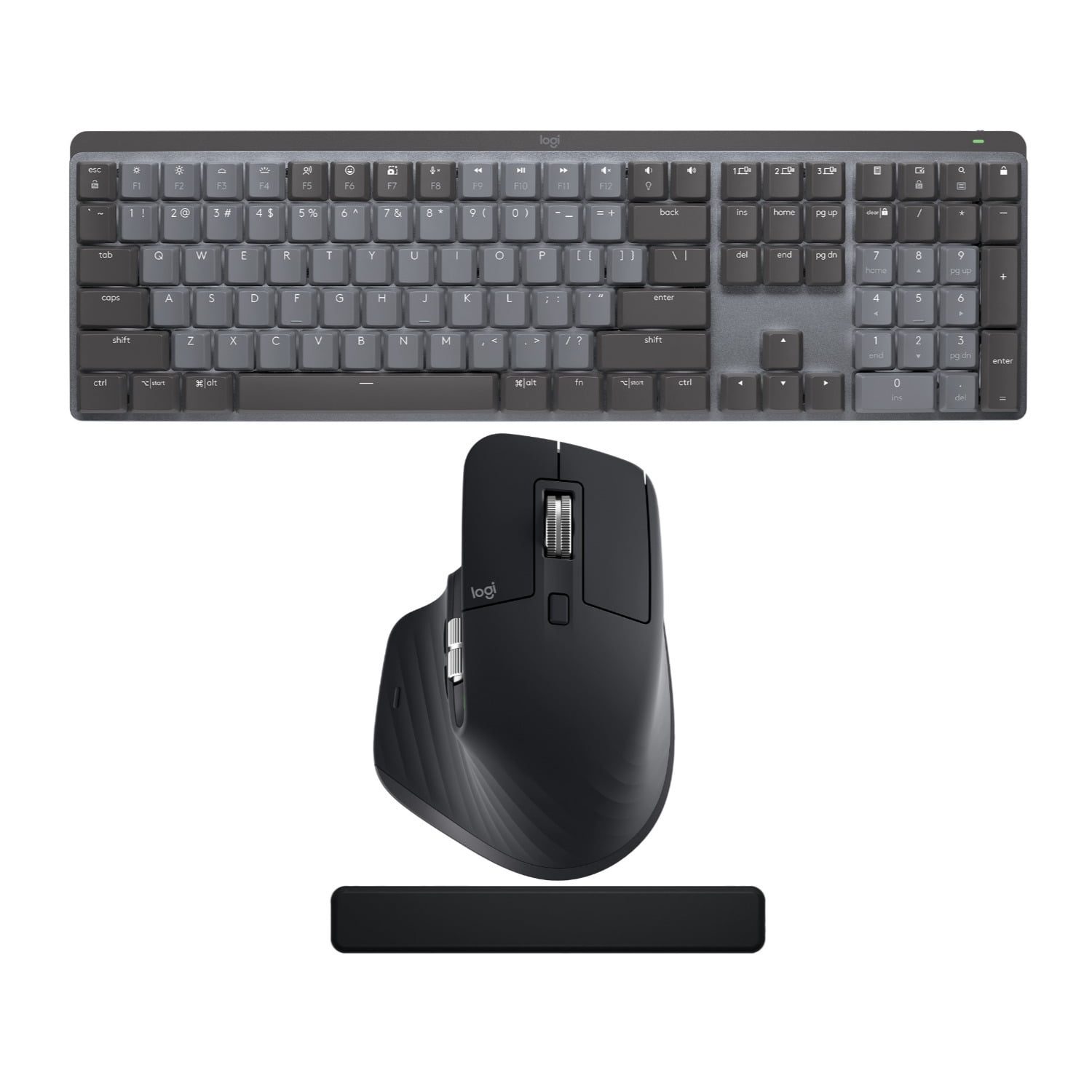
Source: brand press / retailer
Logitech · prebuilt-keyboards
Logitech MX Mechanical Wireless Illuminated Performance Keyboard
Top 25 in the overall Computer Keyboards BSR — a rare mechanical to crack the office-keyboard-dominated overall list
Quick Answer
- Is the Logitech MX Mechanical Wireless Illuminated Performance Keyboard worth buying in 2026?
The MX Mechanical is Logitech's answer to 'I want my MX Keys but mechanical.' Tom's Guide's one-line verdict: 'more expensive and less customizable than competing products … at least $20 more expensive than it ought to be.' Owner sentiment on r/MechanicalKeyboards is split: enthusiasts call it overpriced for the spec, productivity users buying their first mech (especially Logitech-loyal MX Master 3S users) overwhelmingly approve. The BSR top-25 ranking on a list dominated by membrane office boards is the unusual signal.
The MX Mechanical is Logitech's answer to 'I want my MX Keys but mechanical.
Aggregated from 2,192 reviews across YouTube, Reddit, and Amazon
+Pros
- Logi Bolt receiver + Bluetooth + 3-device Easy-Switch is the productivity-tier killer feature — no other mechanical at this price band does it as cleanly
- Kailh low-profile switches in three options (clicky, tactile-quiet, linear) — all genuinely quieter than full-height MX equivalents
- Backlit secondary characters on every key — Mac/Windows mode swap is a single keystroke, both legends are illuminated
- Real ~7-day battery at moderate brightness, 15+ days at low brightness — quick-charge gets you 8-10 hours from 15 minutes
- Aluminum top plate (thin) on a low-profile chassis — sturdier than most low-pro mechs without becoming portable-unfriendly
−Cons
- Tom's Guide verdict on price: 'at $170, the MX Mechanical seems at least $20 more expensive than it ought to be'
- Cannot operate in wired mode — battery dies, you can't keep typing while charging
- Smart Actions and full programmability require a Logitech account — basic remap is free, advanced features are gated
- Plug-in backlight quirk: 'When plugged in, the backlight can only be turned on by a key press, not motion, and then turns off automatically after 5 minutes' (r/MechanicalKeyboards owner)
- Enthusiasts on r/MechanicalKeyboards call out the price/spec gap: 'There are so many good boards for the price of an upper end logitech offerings'
In-depth Review
Logitech MX Mechanical Review — The Productivity Mech That's Worth Buying At $160 But Not At $170
Specifications
| layout | Full |
| switchType | tactile |
| switchBrand | Tactile Quiet (Kailh-made low-profile) |
| hotswap | false |
| wireless | true |
| connection | USB-C / 2.4GHz / Bluetooth |
Why This Product
Top 25 in the overall Computer Keyboards BSR — a rare mechanical to crack the office-keyboard-dominated overall list
This product was identified via the Phase 2.5 BSR (Best Sellers Rank) audit — meaning it ranks high on Amazon's mechanical-keyboard popularity lists with 2,192 reviews at 4.2/5 but was not on our editorial brand-led short-list.
Key Specs
| Spec | Value |
|---|---|
| layout | Full |
| switchType | tactile |
| switchBrand | Tactile Quiet (Kailh-made low-profile) |
| hotswap | False |
| wireless | True |
| connection | USB-C / 2.4GHz / Bluetooth |
Discovery Notes
- BSR rank: #21 in Computer Keyboards (overall BSR)
- Live price at audit: $159.99
- Editor rationale: Top 25 in the overall Computer Keyboards BSR — a rare mechanical to crack the office-keyboard-dominated overall list. Targets the 'productivity user moving from MX Keys to mechanical' persona which the editor's gaming/enthusiast focus completely misses. Pairs naturally with a 'quiet mechanical for office' explainer.
Who It's For
This product fits buyers who land on ClackPicks via budget / value-tier searches. Verify the listing matches the spec on Amazon's product page before clicking "Buy" — Phase 3 audit confirms ASIN + Buy Box at fulfillment time.
Last updated: May 3, 2026 · By Ethan Park