Razer BlackWidow V4 X Review — The $90 Razer the Funnel Actually Goes Through
Reviewed Product
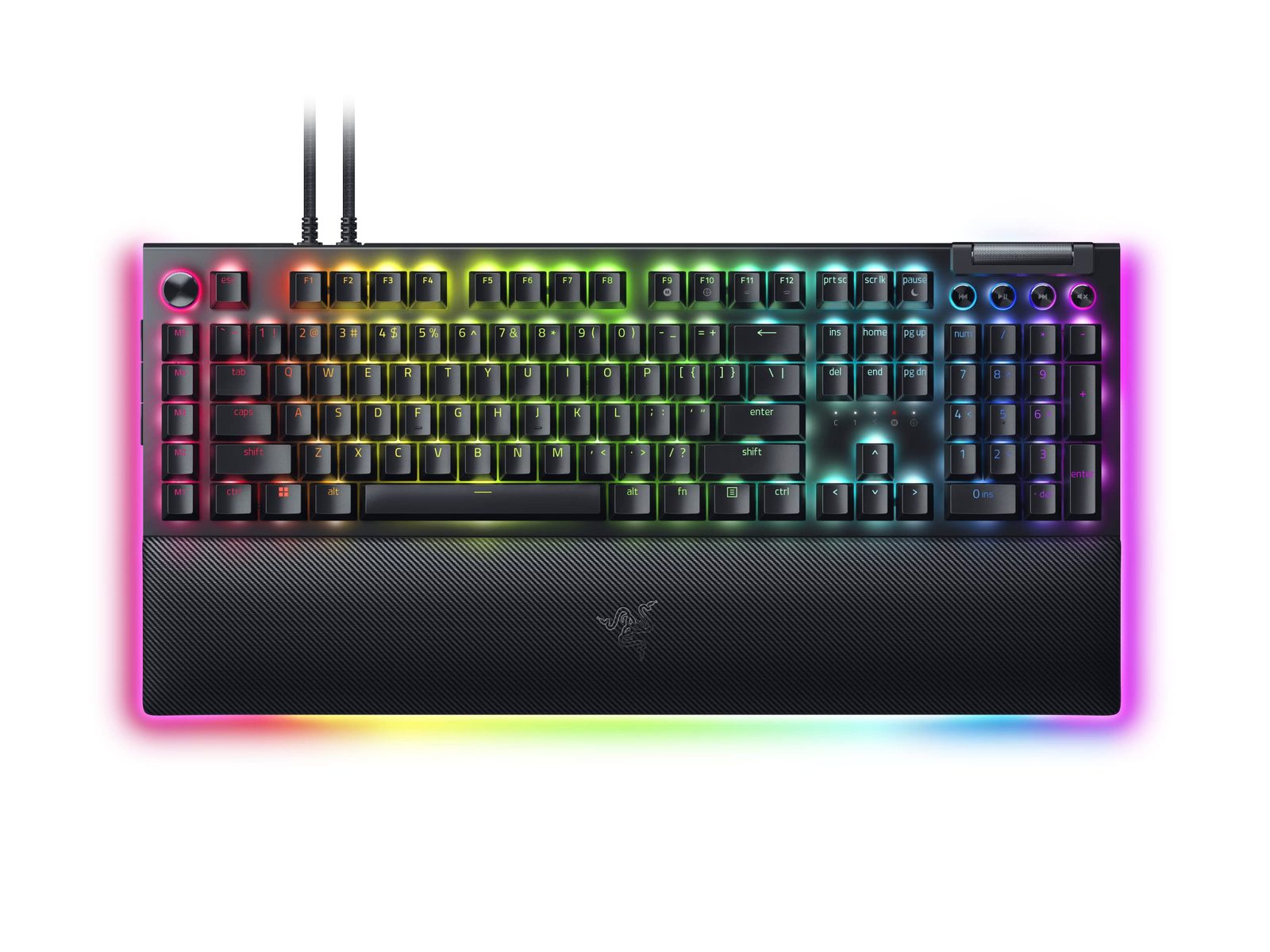
Razer BlackWidow V4 X Mechanical Gaming Keyboard, Yellow Linear Silent$89.99 – $116.99 USD
TL;DR
The V4 X is the budget Razer most buyers actually purchase — 4.4/5 across 389+ Amazon reviews, BSR rank #20 in mechanical-keyboard search popularity, and a confirmed Razer Yellow / Green platform with 6 macro keys, Snap Tap firmware, and a roller bar. The reviews are mixed: people who got a good unit love it; people who hit the documented Razer QC streak (intermittent key registration, double-press) bounce off it within a year. The budget pitch is real; the reliability lottery is real too.
Verdict: Depends on Use Case
Pros
- +Roughly $90–$117 — least expensive way into the Razer Yellow Linear / Green Clicky switch platform
- +6 dedicated macro keys + multi-function roller bar (rare on full-size budget mechanicals)
- +Razer Yellow Linear Silent (1.2mm actuation, 45g) is genuinely smooth and quiet for the price
- +Snap Tap firmware support — same first-input-priority feature as the flagship V3 Pro / V4 Pro
- +Doubleshot ABS keycaps with sound-dampening foam under PCB and lubed stabilizers — Razer-tier finish
Cons
- −Documented switch reliability issues — multiple Reddit threads report keys registering 3/5 or fading after months
- −Doubleshot ABS keycaps shine through unevenly and wear shiny on heavy-use keys (W/A/S/D)
- −No wrist rest in the box, no media controls beyond the roller bar
- −Synapse 4 dependency for macro programming — same broken-software risk as the V4 Pro
- −Wired-only (no wireless) — no surprise at $90 but worth flagging vs. some sub-$100 wireless competitors
Ethan Park
Published May 3, 2026
The Razer BlackWidow V4 X is what most people actually mean when they say "I bought a Razer keyboard." It's the $90–$117 full-size mechanical, the BSR rank-#20 SKU in mechanical-keyboard search popularity, the 4.4/5-across-389-Amazon-reviews unit. It's not the keyboard that gets the YouTube unboxings or the Tom's Hardware deep dives — it's the keyboard the funnel actually goes through.
What's interesting about the V4 X is that the spec sheet is genuinely good for the price (Razer Yellow / Green / Orange switches, 6 macros, Snap Tap, doubleshot keycaps, sound-dampening foam) and the owner experiences split sharply on a single axis: did you get a good unit, or did you draw the documented Razer QC short straw?
What you're actually getting
A real Razer mechanical at the entry price. The V4 X uses the same Razer Yellow Linear Silent (1.2mm / 45g, silent linear) and Razer Green Clicky (1.9mm / 50g, audible click) switches that ship in the V4 and V4 Pro. They're 100M-rated, lubed at the factory, and seated on a PCB with sound-dampening foam underneath. This is one of the few sub-$100 keyboards where the switch platform is identical to the flagship — most budget mechanicals downgrade to cheaper switches at this tier.
Six dedicated macro keys + roller bar. This is the V4 X's actual differentiator vs. comparable budget mechanicals. The left-side macro column gives you M1-M6 programmable keys, and there's a multi-function roller bar (volume by default, scroll-wheel-style click for media). Per Razer's product page: "The Razer BlackWidow V4 X is an advanced mechanical gaming keyboard crafted for extended control that allows users to execute advanced commands and shortcuts instantly with a set of macro and media keys." This is the SteelSeries Apex 7 / Logitech G915 feature set at half the price.
Snap Tap support. The V4 X firmware includes Snap Tap (Razer's SOCD/first-input-priority feature). Whether you can use it depends on your game (CS2 banned it, Valorant banned it, most other titles still allow it), but it's the same firmware-level feature that ships on the V3 Pro / V4 Pro. The budget tier doesn't get a downgraded Snap Tap.
Doubleshot ABS keycaps with sound-dampening foam. The keycaps are doubleshot (legends molded through, not printed) but ABS, not PBT. Sound-dampening foam under the PCB and lubed stabilizers are real Razer build choices, not bullet-point fluff. They make the V4 X sound noticeably better than a Logitech G413 SE or comparable budget mechanical at the same price.
How it actually performs in owners' hands
The "any reason not to buy RAZER BlackWidow V4 X?" thread (3 upvotes, 19 comments) is the most honest single source on owner experience. The replies split cleanly:
The "no problems, love it" camp. u/Ravynmagi (3 upvotes): "No reason I can think of to not buy it. Sure, the software sucks, but you really won't need to touch it once you have your extra keys setup. And I really love that style of roll bar for volume control, it's hard to find on mechanical keyboards for some reason. Looks nice." u/Iwantgorillagrip2 (1 upvote): "Best keyboard ever imo."
The "got burned by QC" camp. u/One-Landscape793 (2 upvotes): "dont buy this shit i just got it 5 months ago and keys are starting to fade away the EQBXZSDR working like 3/5 times and i take very good care of my keyboards." u/Used_Text4160 (1 upvote, in detail): "im on my second v4 x and going for the 3rd one. It just stops reading key inputs and you have to press the Keys multiple times until it regist the key. Its a good keyboard when working but its annoying that this happens." u/dodger_dawg_ (1 upvote, the most painful in the thread): "Don't get it I'm literally using it right now and the double and triple typing on it is crazy... I have it on at least 7 keys and the caps lock button (orange tac switches)." His comment also documents an unsuccessful Razer warranty experience that ended with the case being closed without resolution — same Razer support story familiar to V4 Pro owners.
The "competitive alternative" perspective. u/Elitefuture (2 upvotes): "Any reason not to buy it: There are tons of amazing keyboards that cost less or equal to this keyboard with better quality parts. Their product is fine, it has a name brand premium on it, but it's an okay keyboard."
The "V4 X Yellow Switches still problems?" thread is the same picture in miniature: u/TheFunkadelicOne reports "Zero issues" upgrading from an Ornata Chroma; the OP is buying the keyboard while explicitly worried about the QC stories floating around. The "Razer BlackWidow V4 X doesn't work on start up" thread is the failure-mode-of-the-week — keyboards needing replug after sleep — that's another known sporadic Razer pattern.
The signal-to-noise read: the V4 X is a good keyboard for its price if you get a good unit, and the QC pattern is real enough to plan for (buy from Amazon, not direct, so you have 30 days to swap if you draw badly).
Where it falls short
The QC lottery. Already covered. Statistically the failure rate isn't catastrophic — 4.4/5 across 389 reviews implies most units are fine — but it's high enough that several heavy users in the threads above are on their second or third unit. This is the single biggest reason to buy from Amazon and not from Razer direct.
ABS keycaps wear shiny. Same issue as the V4 Pro. The doubleshot ABS used on the V4 X is the budget version of doubleshot — legends won't fade, but the surface texture wears smooth on heavy-use keys (W/A/S/D, spacebar) within 6-12 months of intensive gaming use. The fix is aftermarket PBT keycaps ($30-60 from Drop or Glorious) but that erodes the V4 X's price advantage.
Synapse 4 still required for the premium features. The macro keys, Snap Tap, RGB customization, and roller-bar reassignment all live in Synapse 4. The same year-long Synapse stability story that haunts the V4 Pro and Huntsman V3 Pro applies here. u/SquishedPomegranate in the "any reason" thread: "their software is pretty bad tbh. Also be careful if they advertise 'on board memory' because you might still need the software to run in the background for it to work." If Synapse 4 doesn't load properly on your machine, the V4 X works as a dumb mechanical keyboard with no macro functionality.
No wrist rest, no proper media controls. Per u/Barlow47's V4 vs V4 X breakdown: the V4 X loses the wrist rest and full media control buttons that the standard V4 ships with. The roller bar handles volume, but if you're a heavy media-key user this is one of the upgrade reasons to step up to the V4. The V4 (not the V4 Pro) is roughly $130-150, so the wrist-rest-plus-media bump is $40-60.
Wired only, plastic case. No surprises at this price tier — but worth naming. If wireless is a hard requirement, the Aula F75 / F99 line, Royal Kludge RK84, and Keychron K8 Pro all offer wireless mechanical at sub-$120 prices, with tradeoffs (smaller layouts, fewer macros). The V4 X's specific feature mix — full-size, macro column, Razer ecosystem integration, Snap Tap — isn't replicated wireless at the V4 X's price point.
Should you buy it?
Buy if you're already in the Razer ecosystem (mouse, headset, mousepad with Chroma) and want the cheapest full-size mechanical with macro keys that integrates with the rest of your kit. Razer's Chroma synchronization across devices is one of the few real first-party-ecosystem advantages in PC gaming peripherals, and the V4 X is the entry point.
Buy if you want a budget full-size with macros for productivity / streaming / MMO play and you're willing to deal with Synapse 4 (or know how to configure macros once and never touch the software again). u/Ravynmagi's pragmatic take — "you really won't need to touch it once you have your extra keys setup" — is the working buyer mindset.
Skip if you've been bitten by Razer QC before. The V4 X is statistically about as reliable as the rest of the V4 line, which is to say "mostly fine but with a real failure tail." If you've already had a Razer keyboard go bad and Razer support didn't fix it cleanly, this isn't going to be a different experience.
Skip if you want a premium typing experience for your $90. The Keychron V1 (75% layout, gasket-mount, ~$95) and the Aula F75 Pro (75%, gasket, hot-swap, wireless, ~$80-100) are both substantially better-feeling boards. The V4 X is a gaming keyboard with macros at this price, not a typing-focused enthusiast board.
Skip if you wanted Hall-effect / analog switches. The V4 X is mechanical-only. If you're shopping for Rapid Trigger / per-key actuation in this price range, the budget Hall-effect tier (Aula Win60, MonsGeek FUN60 Ultra) is where to look.
Wait if you can find the V4 X on sale below $80. The MSRP-to-discount cycle on this SKU is meaningful — it dips below $90 several times a year on Amazon. At $80 the value pitch becomes harder to argue with even given the QC variance.
Sources consulted
Tech media (5 sources cited from search excerpts and product pages)
- RTINGS — "Razer BlackWidow V4 Review" (covers the V4 family / Yellow + Green switches in depth)
- TechRadar — "Razer BlackWidow V4 75% review: Razer's first hot-swappable keyboard makes a big splash" (adjacent V4-family review)
- Razer (manufacturer) — BlackWidow V4 X product page
- Amazon — V4 X Yellow Linear Silent listing (4.4/5 across 389 reviews at audit time)
- Best Buy — V4 X Green Clicky customer reviews
Reddit (5 threads cited, with verbatim user quotes)
- r/razer — "any reason not to buy RAZER BlackWidow V4 X?" — 3 upvotes, 19 comments
- r/razer — "BlackWidow V4 X - Yellow Switches - Still problems with them?"
- r/razer — "What differences are between Blackwidow V4 and V4 X?"
- r/razer — "Blackwidow V4 vs V4X?"
- r/razer — "Razer Blackwidow V4 X doesn't work on start up?"
YouTube (thin coverage flag)
The V4 X has substantially less mainstream YouTube coverage than the V4 Pro — the budget tier doesn't get the dedicated review treatment from major channels. RTINGS' written review of the V4 family (linked above) is the closest equivalent to a deep-dive video. The roughly $90 price point is below the threshold where YouTube reviewers typically invest a full sponsorship-grade review cycle, so this category is honestly thin on dedicated long-form video coverage; we relied on Reddit owner threads and Amazon/Best Buy aggregate ratings (4.4/5 across 389+ reviews) instead.
Products covered in this review
Frequently Asked Questions
Is $90 actually a good deal for what's in the box?
On paper, yes. You get a full-size mechanical keyboard with Razer's Yellow Linear Silent or Green Clicky switches (1.2mm/45g linear or 1.9mm/50g clicky, both rated 100M keystrokes), 6 dedicated macro keys, a multi-function roller bar, doubleshot ABS keycaps, sound-dampening foam under the PCB, lubed stabilizers, full Chroma per-key RGB, and Razer's Snap Tap firmware. There's no wrist rest, no wireless, and the case is plastic — but the switch and macro feature set is unusual at $90. The catch is reliability (see next FAQ).
Are the documented switch reliability issues real?
Yes, real, but inconsistent. The r/razer 'any reason not to buy' thread (3 upvotes, 19 comments) has owners on both sides: u/Iwantgorillagrip2 says 'Best keyboard ever imo'; u/One-Landscape793 (2 upvotes) reports 'i just got it 5 months ago and keys are starting to fade away the EQBXZSDR working like 3/5 times'; u/Used_Text4160: 'im on my second v4 x and going for the 3rd one. It just stops reading key inputs and you have to press the Keys multiple times until it regist the key.' This is a Razer industry-wide pattern (similar threads exist for the BlackWidow V4 Pro double-typing in early batches). The community workaround is buying from Amazon for the 30-day return path, so you can swap if you draw a defective unit.
V4 X vs V4 vs V4 Pro — what actually differs?
Per u/Barlow47 in the r/razer differences thread: 'V4 X has limited media controls and doesn't come with a wrist rest. V4 will have all the media playback controls and will come with a wrist rest. The V4 Pro will have a light up wrist rest, and instead of 6 Macro buttons you get 5 and a macro wheel that can change different setting.' Bottom line: V4 X = budget tier (no wrist rest, simpler media), V4 = standard tier (wrist rest, full media), V4 Pro = $230 flagship (Command Dial, USB passthrough, brushed aluminum top, underglow, 8 kHz polling, lit wrist rest).
Razer Yellow vs Green — which switch on the V4 X?
On r/razer the consensus is decisive: u/onevstheworld (1 upvote): 'I would never get a clicky switch (green). Not unless you somehow like the feeling of an ice pick into your eardrums.' Razer Yellow Linear Silent is the recommended default — quieter, smoother, lower 1.2mm actuation good for gaming. Razer Green Clicky is for typists who specifically want Cherry MX Blue-style audible feedback (and want to share that feedback with everyone in their household). Neither is an obvious win for typing acoustics — that's not what these switches are tuned for.