Keychron V1 Review — The Budget 75% That Tom's Guide Couldn't Find Anything to Complain About
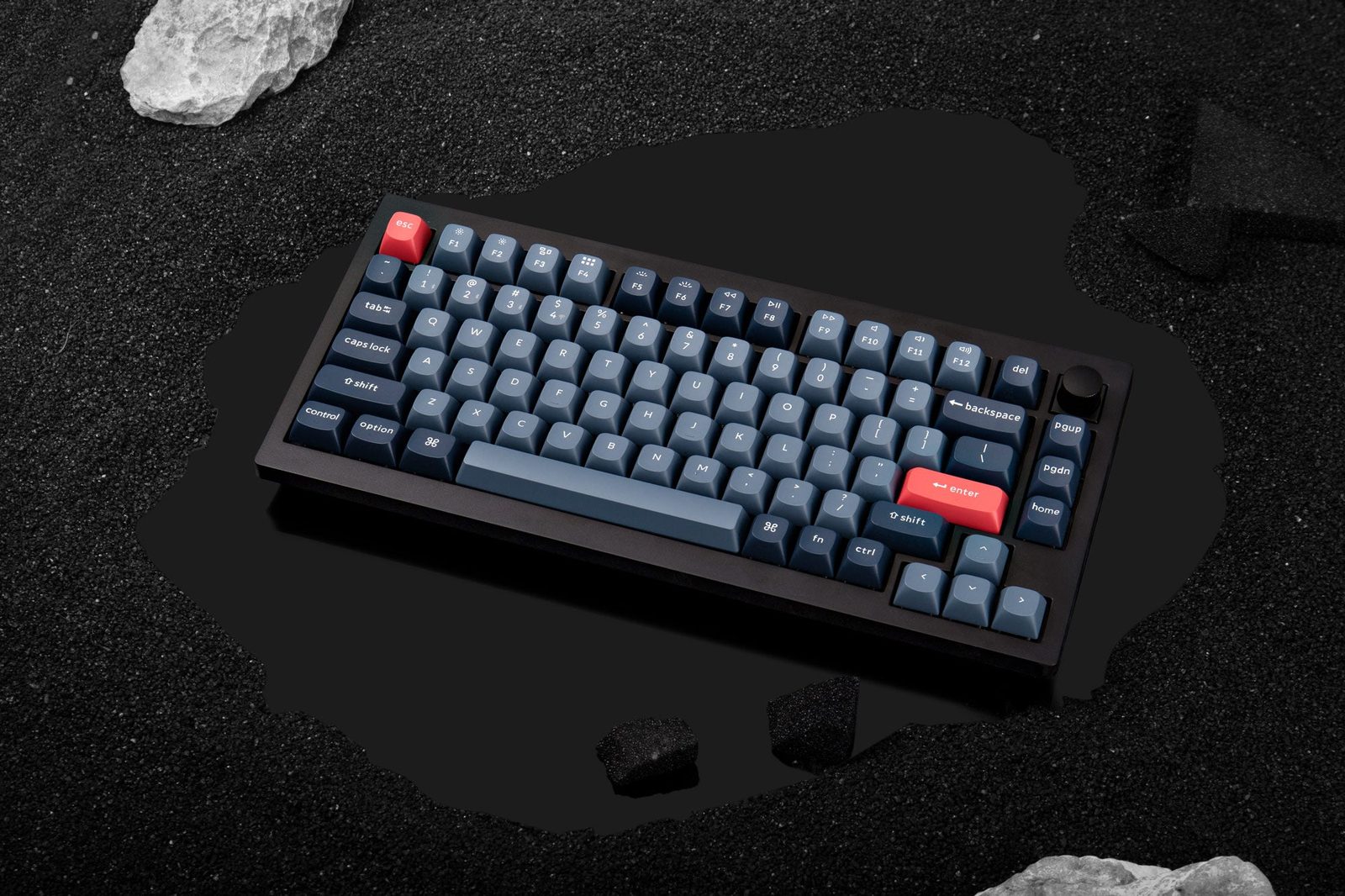
TL;DR
Tom's Guide's Cons section literally reads 'Virtually none' — only flagging that the V1 is wired-only. Nextrift recommends it as 'a fantastic starting point for only $54.' Reddit treats it as the gateway to the custom keyboard hobby. The V1 is what every r/Keychron veteran tells first-mech buyers to start with: same QMK/VIA story as the Q1, plastic case instead of aluminum, ~$100 cheaper. The catch: tray-mount is stiff, stock USB cable can be DOA.
Verdict: Buy
Pros
- +Tom's Guide Cons section literally reads 'Virtually none' — only the wired-only flag
- +Stabilizers are lubed and tuned out of the box — owner u/(OP): 'first time in my life when I really did not have to do ANYTHING with stabilizers'
- +QMK/VIA support — same custom-firmware story as the Q1 at less than half the price
- +Foam-packed sound is muted out of the box; remove silicone for a more open sound
- +Hot-swap PCB and south-facing switches at this price ($54-94 depending on config) is the budget benchmark
Cons
- −Tray-mount design is 'a stiff keyboard to type on' (Nextrift) — no plate flex
- −No wireless — wired-only (V1 Max adds Bluetooth/2.4 GHz at higher price)
- −Stock USB-C cable was DOA in at least one detailed owner review — keyboard wouldn't enumerate
- −ABS plastic case (no case ping but feels less premium than aluminum)
- −R2 Home key is in a wonky position — 'Very few keycap sets support that, so we probably have to plan on remapping it' (owner)
Ethan Park
Published May 3, 2026
The Keychron V1 is the keyboard I recommend to friends asking "what's my first real mechanical?" more than any other board. It's not because the V1 is the best at any one thing — it's because at $54-94 depending on config, it's the cheapest way to get the full custom-keyboard experience: QMK/VIA, hot-swap, south-facing switches, decent stabs, hot-shoe-able switches, the works.
I read Tom's Guide and Nextrift in full, pulled three substantive Reddit threads (with several more high-upvote threads catalogued), and confirmed six YouTube reviews including a 584K-view long-form from Hardware Canucks (transcripts unavailable — see sources at end). The consensus is unusually clean for a budget board.
What you're actually getting
A 75% layout with QMK/VIA support that costs ~$54 barebones, ~$94 fully assembled. Tom's Guide reviewer Nikita Achanta opens the build section: "The Keychron V1 is brilliantly constructed. Its body is made of ABS plastic while the plate (which sits between the top case and the sound absorbing foam and PCB) is made of steel." (review) Nextrift's Andrew Cheng adds the practical-acoustic note: "it has an ABS plastic case. Thanks to this, it has absolutely no case ping." (review)
A muted, slightly thocky sound profile out of the box. Nextrift: "the V1 has a low-pitched, almost thocky sound profile. It's certainly not a clacky keyboard." The OP of the r/Keychron V1 review thread (77 upvotes) explains the foam stack: "This keyboard really does not need any mods to feel and sound good out of the box. It sounds muted because it is packed with foam/silicone and if you want a bit more hollow sound to board – you could remove silicone dampener."
Stabs that don't need lube on day one. Same OP, with what is the most-quoted line about the V1 in the entire Keychron-budget conversation: "Stabilizers are lubed and tuned very well out of the box. This was first time in my life when I really did not have to do ANYTHING with stabilizers. They are screw in, they really are pretty good. No rattle, just clean stabs." For a $54-94 board this is the headline.
How it actually performs in owners' hands
The 294-upvote launch thread on r/MechanicalKeyboards (Budget King) captures the community reaction. u/jgre98 (72 upvotes): "The pricing is insane. I hope it sounds good or atleast has room to mod it." u/kanyesutra (46 upvotes), comparing to the heavier Keychron Qs: "This is probably a huge boon if you plan on traveling at all/keeping your keyboard anywhere but your desk. I love my Q5 but it legit weighs about 10 pounds." u/TentiTiger11 (16 upvotes), on the build choices: "South facing which is different than most $95 cases (assuming shipping counts towards the price). It looks cleaner than the NJ80 which is the only other keyboard in the price range that is south facing, and is also cheaper."
The r/BudgetKeebs V1 appreciation thread (105 upvotes) frames the long-term verdict. u/shyrix: "This board is great gateway board to the rabbit hole." That phrasing keeps showing up across threads — the V1 isn't where you stop, it's where you start.
The r/Keychron V1 vs Q1 Pro height visualizer thread title is itself a useful owner quote: "Going from the V1 to the Q1 is a pretty easy transition and I like the higher typing angle of the Q1 as well." Confirmation that the V1 is a real on-ramp to the premium Keychron line.
Where it falls short
Tray-mount means it's stiff. This is the legitimate trade-off vs. the gasket-mounted Q1. Nextrift, otherwise positive: "Because it uses a tray mount design, the Keychron V1 is a stiff keyboard to type on." If you've used a gasket-mount board, the V1 will feel firmer and less "bouncy." If you haven't, you won't notice.
Tom's Guide's Cons section is unusually short. Nikita Achanta: "While testing the Keychron V1 and writing this review, I've been racking my brain to think of its downsides, as there are virtually none. There's only one real 'con' I can think of that you should maybe consider before purchasing this keyboard." The one con: "The Keychron V1 doesn't support wireless connections and is wired-only, but whether you consider this a pro or a con depends on your preferences." Worth noting — the V1 Max adds wireless if that matters.
Stock USB cable can be DOA. The OP of the long-form r/Keychron V1 review reports: "Stock USB cable that came in the box did not work for me. Keyboard just wouldn't be detected as keyboard by PC. Tried on several systems." One report, but worth flagging — if your V1 doesn't enumerate, swap the cable before you panic.
The R2 Home key position is awkward for keycap shoppers. u/brianbloom (15 upvotes, in the launch thread): "The prebuilt is doing the same wonky R2 Home key like the K14. Very few keycap sets support that, so we probably have to plan on remapping it." Standard custom keycap sets often don't include the right size for that position. VIA-remap and use a regular 1u key, or buy a set that explicitly lists Keychron V1 compatibility.
There's an occasional power-up quirk. u/bhudzieeeee (in the BudgetKeebs appreciation thread): "Is there anybody else who's experiencing the v1 not turning on when I turn on my pc? I always have to disconnect the cable from the board and reconnect it." One report; not corroborated as a pattern, but flag it.
Should you buy it?
Buy if you want your first "real" custom mechanical keyboard, you're okay with wired-only, and you'd rather spend the $100 you save (vs the Q1) on switches, keycaps, and a wrist rest. Tom's Guide's verdict: "The Keychron V1 is well worth the money, especially if you want a board you can mod. As a wired-only keyboard, you don't have to worry about running out of battery, especially if you spend up to 10 hours a day typing away. Its superb build quality, typing sound and feel make it hard to beat." Nextrift agrees in fewer words: "the sheer affordability of the Keychron V1 alone makes it a worthwhile purchase."
Skip if you want wireless (V1 Max instead), if you specifically want gasket-mount flex (Q1 or Q1 Pro), or if aluminum-and-heft is part of what makes a keyboard feel premium to you (the V1 is plastic and that's part of how it stays cheap).
Wait if you can find the V1 Max on a deep sale near base V1 prices — for most current shoppers, the Max is the better value if the gap is small.
Sources consulted
YouTube (6 videos, metadata only — see note)
YouTube transcript pulls were blocked at the network level during this review's research, so I'm citing these videos as reviewer signal. All six verified resolving as full-length watch?v= URLs:
- Hardware Canucks — "The Keychron V1 Bargain" — 584,104 views, Jul 29 2022 (the dominant V1 review by far)
- CLACK — "I Think Its Safe To Call This A Budget Keyboard | Keychron V1 Review" — 36,878 views, Jul 19 2022
- Hipyo Tech — "WHAT is Keychron Thinking!?" (V1 launch reaction)
- Tobey Lim — "Keychron V1 - Unboxing, Typing Test and Impressions" — 21,518 views, Sep 27 2022
- Caddac — "The Best Budget Custom Keyboard? - Keychron V1 Unboxing, Mods, and Review" — 19,239 views, Aug 5 2022
- I/O One — "Keychron V1 Carbon Black with Knob - The BEST budget keyboard right now! - Unboxing" — 14,726 views, Feb 15 2023
Reddit (5 threads cited, 3 with verbatim owner quotes)
- r/MechanicalKeyboards — "Keychron V1 - Budget King - Plastic Q-Version starting at $54" — 294 upvotes
- r/MechanicalKeyboards — "Keychron has just released their V1 board, and Consumer Tech Review just posted an 8 minute video critizicing Keychron" — 161 upvotes
- r/BudgetKeebs — "My main keyboard right now, Keychron V1 + TH21" — 141 upvotes
- r/BudgetKeebs — "Keychron V1 appreciation" — 105 upvotes
- r/Keychron — "Keychron V1 review/Q&A/etc" — 77 upvotes
Tech media (2 reviews fully parsed)
- Tom's Guide — "Keychron V1 review: A faultless keyboard" by Nikita Achanta, Senior Writer
- Nextrift — "Keychron V1 Review: Fantastic Starting Point for Only $54" by Andrew Cheng, Jul 19 2022
Products covered in this review
Frequently Asked Questions
V1 vs V1 Max — which one am I actually buying?
The base V1 is wired-only. The V1 Max adds Bluetooth and 2.4 GHz wireless plus a few internal upgrades. This review covers the wired V1 — it's what r/Keychron veterans recommend most often as the budget entry point. If wireless matters at all, jump to the Max; the price gap isn't huge.
Is it really a Q1 alternative for less than half the price?
Same layout (75%), same QMK/VIA support, same hot-swap PCB. What you give up: aluminum case (V1 is ABS plastic), gasket mount (V1 is tray mount, much stiffer), and Bluetooth (the Q1 Pro has it). What you gain: ~$100. r/Keychron's standard advice for first-time buyers is the V1 specifically because the Q1's premium-build extras don't matter to most beginners.
Will I need to mod it?
Less than most budget boards. The OP of the long-form r/Keychron V1 review thread put it bluntly: 'This keyboard really does not need any mods to feel and sound good out of the box. It sounds muted because it is packed with foam/silicone and if you want a bit more hollow sound to board – you could remove silicone dampener.' Stabs are tuned, the foam stack is already there. The most common owner mod is removing internal foam to open up the sound.
What's the deal with the wonky R2 Home key?
Standard 75% layouts put Home as a single key on the rightmost column. Keychron's V1 puts it on R2 (the row with numbers and function keys), which means most aftermarket keycap sets don't have a key sized correctly for that position. Owner u/brianbloom flagged this on launch: 'The prebuilt is doing the same wonky R2 Home key like the K14. Very few keycap sets support that, so we probably have to plan on remapping it.' Annoying for keycap shopping, fixable with VIA.