Keychron K8 Max Review — The Safe TKL Wireless Pick That Tom's Guide Calls 'Editor's Choice'
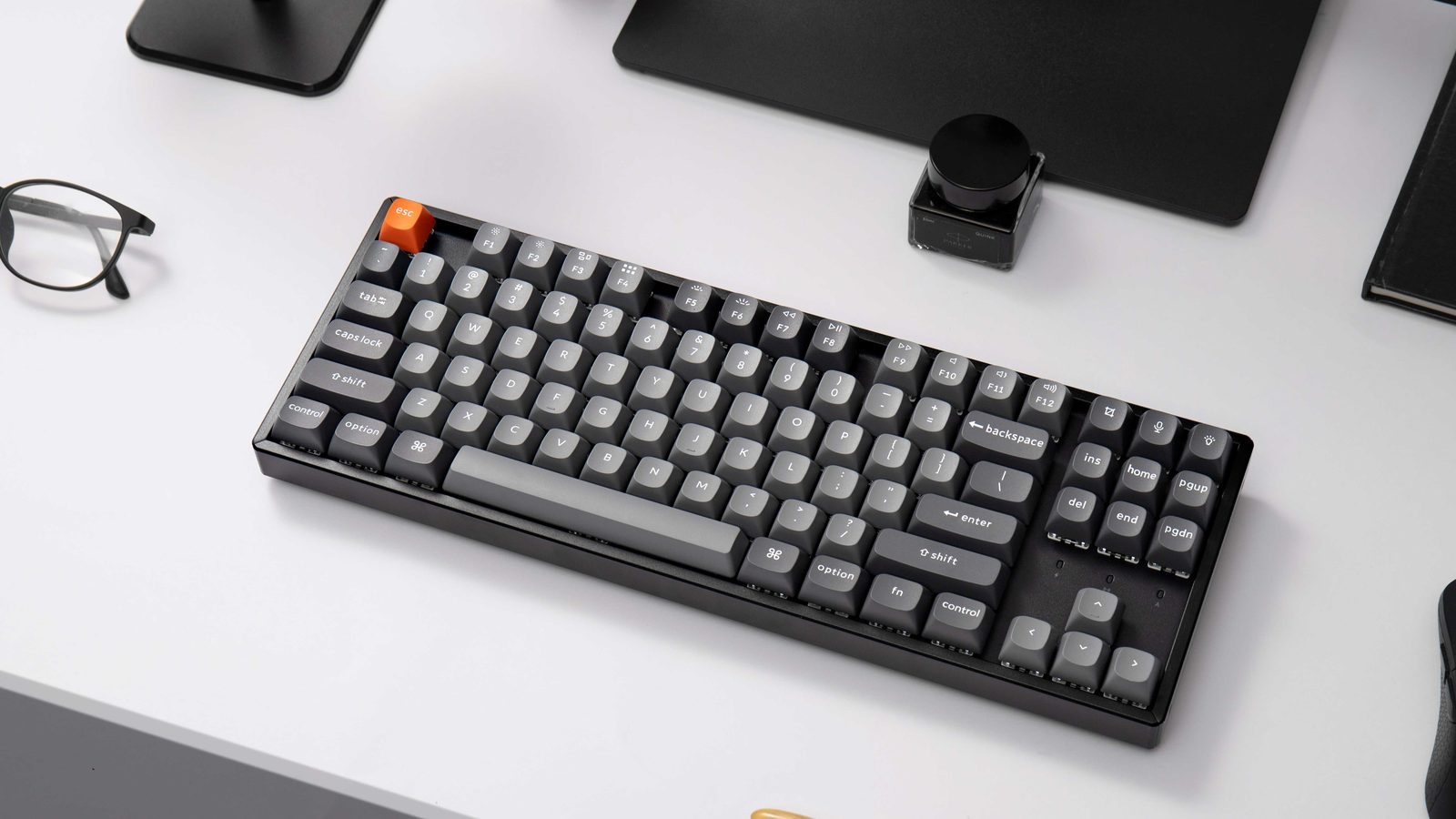
TL;DR
Tom's Guide gave the K8 Max its Editor's Choice award; MakeUseOf called it 'absolutely perfect' for casual customization. The K8 Max is the unflashy, dependable TKL wireless option — 1000 Hz wired polling, foam-damped acoustics, 80% layout, ~$124. Owner reports show real Bluetooth quirks on macOS and an awkward side-mounted USB-C port. Coverage is genuinely thin compared to the Q-series, so this review reflects that.
Verdict: Buy
Pros
- +1000 Hz wired polling rate — actually useful for FPS, unusual at this price
- +Multi-layer foam + silicone damping produces a 'dampened metallic clacky' sound (Tom's Guide)
- +Battery life lives up to spec — owners report charging once every 2-4 weeks
- +VIA support works (despite Keychron's product page being vague about it)
- +Tri-mode wireless (BT × 3, 2.4 GHz, USB-C); the safe pick if you want a Keychron TKL without committing to the Q-series price
Cons
- −Wireless polling drops to 90 Hz over Bluetooth — fine for typing, not for competitive gaming
- −Bluetooth on macOS goes idle after 20-30 seconds of no input — multiple owners hit this
- −Side-mounted USB-C port is awkward depending on your desk setup
- −RGB occasionally resets to default rainbow — owner-reported firmware quirk
- −Stock keycaps are NOT shine-through — RGB underneath looks weak
Ethan Park
Published May 3, 2026
The K8 Max is the keyboard you buy when you don't want to make this complicated. TKL layout, hot-swap, tri-mode wireless, 1000 Hz wired polling, built like every Keychron is built. Tom's Guide gave it Editor's Choice. MakeUseOf called it "absolutely perfect" for casual customization. There's no contrarian take to deliver — most of the time it just works.
The honest caveat: K8 Max coverage is thin compared to Keychron's flashier Q-series. The big YouTube reviewer channels (Hipyo, TaeKeyboards, Bad Seed Tech, Theremin Goat) covered the original K8 and K8 Pro extensively but mostly skipped the Max. Reddit threads about the Max are small — single-digit upvotes, scattered support questions. So this review is built on three substantive tech-media reviews and the smaller signal from r/Keychron. I've kept it shorter because more would mean inventing detail.
What you're actually getting
A foam-damped TKL with sound that reviewers consistently call "dampened clacky." Tom's Guide's Ashley Thieme: "the Keychron K8 Max still sounds great with a dampened metallic clacky sound." She elaborates: "The several layers of acoustic foam and silicone damping inside the board provide a cushioned, dampened sound, making sure you get the initial clack of keys hitting the metal plate, without that sound ringing out too much afterwards." (review) MakeUseOf's Andy Cormier frames the same thing differently: "Between the superb attention to detail in the keyboard's design, the 'thocky' sound of the brown switches, and the heaps of customization options, the Keychron K8 is a joy to use." (review)
1000 Hz wired polling at this price is unusual. Tom's Guide's verdict line: "The Keychron K8 Max is an excellent, comfortable and durable keyboard, offering fast, precise typing with a 1,000Hz polling rate and OSA OEM keycaps, complemented by acoustic foam for a balanced sound." Wireless polling drops to 90 Hz — see the FAQ.
Battery and connectivity that hold up in real use. Reddit owner u/Publicgaamer (in K8 pro vs max): "Got the brown switches with the aluminum frame and its great. The battery life is much better than I expected, I might have to recharge once every 2-4 weeks." Tom's Guide's number: "When used with a Bluetooth connection, you can get up to 30 hours with the RGB lighting on..." — and "every 2-4 weeks" lines up if you're a daily-driver typist who turns RGB off most of the time.
How it actually performs in owners' hands
The owner-side picture is harder to draw because the K8 Max threads on r/Keychron are small. The same u/Publicgaamer comment continues with the most useful real-world summary I found: "My only really issues with it is the lighting sometimes resetting to the default rainbow, and charging port being on the side of the kb, Overall would recommend if money isn't an issue." That's the K8 Max in one comment — minor quirks, charging port placement is the most frequently cited daily annoyance, but the recommend-status holds.
The independent oxcrag.net review (Mikael Hansson, Jan 18 2026) frames the upgrade experience: "this keyboard feels radically different, from its physical heft, via the much nicer-feeling key surfaces and keyboard curvature." His verdict: "The Keychron K8 Max was a very nice upgrade for my typing experience." (review) On Mac he notes a small layout gripe: "the layout of the Control, Option and Command keys is a bit off." Standard Keychron complaint — they ship with a Mac-friendly key bundle to swap in, and you'll want to use it.
Where it falls short
Bluetooth on macOS has an idle problem for some owners. The most useful bug report I found is u/yoshino_kawaiii in K8 MAX connectivity: "recently I bought a K8 max using for my Macbook pro via bluetooth pairing. But I have noticed an issue, don't know if it's some sort of setting or not, that whenever I am not typing like for 20 30 seconds, it just stops responding. I have to click mouse for a few times, and then press some keys also to make it works again." Their resolution after a follow-up: "I have updated the bluetooth firmware. But there is a bluetooth interference issue with my headphone, which is Sony MX4." If you live on Mac with multiple BT peripherals, plan to update firmware on day one.
Tom's Guide's price and looks complaint. Ashley Thieme's two cons: "Unfortunately, I think this keyboard is a little too expensive for what it is, with better keyboards available for less." And: "The thing I dislike most about this keyboard is its looks... the bland gray and McLaren orange accent keys aren't for me." The price gripe — at $124 — is the more substantive one. The K Pro is cheaper if you don't need 1000 Hz polling.
The RGB-VIA web tool can conflict with SignalRGB. Found the cleanest documentation of this in the VIA tool issue thread, where u/ChickensCantFly-T_T documented their fix: "I rarely even check signalRGB so I did not expect it to be an issue. I disabled my keyboard from signalRGB which seems to have helped." If your VIA web tool can't connect, kill SignalRGB first.
MakeUseOf wants steeper feet. Andy Cormier: "While you can adjust the angles of the device's feet for typing ergonomics, I prefer even larger feet with a steeper angle for keyboards as bulky as this one." Use a wrist rest if you sit low to the desk.
Should you buy it?
Buy if you want a TKL hot-swap wireless mechanical and you don't want to think hard about the choice. Tom's Guide's bottom line is the right summary: "The Keychron K8 Max is lovely to type on, with a comfortable and supportive typing experience." MakeUseOf: "For folks curious about custom mechanical keyboards or who simply want a great, pre-built at a reasonable price, the Keychron K8 Max is absolutely perfect." That's the call.
Skip if you specifically need full-size with numpad (look at the K10 or K4 Max), if you want a 75% layout (V1 or K2 Max), or if 1000 Hz wired polling matters less than absolute price (the older K8 Pro is cheaper if you can still find it).
Wait if you want a similar TKL but specifically with hot-swap aluminum at a Q-series price point — the Q3 Max is the obvious upgrade target.
Sources consulted
YouTube (1 video, metadata only — see note)
The K8 Max has surprisingly thin YouTube coverage from the major reviewer channels. The one dedicated K8-Max-specific review I could verify:
- turbosloth — "Keychron K8 Max - quick review" — 1,455 views, Apr 26 2025
Several other "K8" reviews from larger channels are actually for the older K8 / K8 Pro, not the Max — those weren't included to avoid confusing the model.
Reddit (4 threads cited)
- r/Keychron — "K8 pro vs max" — small thread, useful direct owner comparison
- r/Keychron — "K8 MAX connectivity" — primary source for the macOS Bluetooth idle issue
- r/Keychron — "Keychron keyboard not connecting to Web Launcher or Online VIA Tool" — SignalRGB conflict resolution
- r/Keychron — "K8 Max - Shine Through Keys" — confirms stock keycaps are not shine-through
Tech media (3 reviews fully parsed)
- Tom's Guide — "Keychron K8 Max review: Keychron keeps making my typing dreams come true" by Ashley Thieme, Nov 21 2025, Editor's Choice
- MakeUseOf — "Keychron K8 Max Review: The Perfect Mechanical Keyboard for Casual Customization" by Andy Cormier, Jan 15 2025
- oxcrag.net — "Keychron K8 Max Review" by Mikael Hansson, Jan 18 2026
Products covered in this review
Frequently Asked Questions
K8 Max vs K8 Pro — which one am I actually buying?
The Max replaced the Pro. Same TKL layout, but the Max upgrades to 1000 Hz wired polling, longer battery, the Super Switch lineup, and adds Bluetooth-LE support. If a retailer is still listing 'K8 Pro' — that's the older 2022 board. The Max is the current model and what Tom's Guide reviewed in November 2025.
Is it actually any good for FPS gaming?
Wired, yes. Tom's Guide notes the 1000 Hz polling rate but warns: 'this rate significantly reduces when using the keyboard over the Bluetooth connection, as it becomes just 90Hz — this is normal, but just something to be aware of.' Plug in the cable for ranked play; Bluetooth is fine for everything else.
Why do owners keep mentioning Bluetooth dropping on macOS?
It's the most common owner complaint we found. r/Keychron user yoshino_kawaiii: 'whenever I am not typing like for 20 30 seconds, it just stops responding. I have to click mouse for a few times, and then press some keys also to make it works again.' Their fix was a Bluetooth firmware update + isolating from competing BT devices (specifically Sony WH-MX4 headphones in their case). If you live on Mac and have multiple BT peripherals, factor this in.
Is it shine-through? The RGB looks dim in photos.
Stock keycaps are not shine-through — confirmed by an r/Keychron owner: 'I just got my K8. Great keyboard, but I reallly need shine thru keys.' The RGB is real, but the double-shot PBT keycaps block most of the light. If RGB-through-the-legend matters to you, budget for a shine-through keycap set.